A Search Built Around You
Tell Remo what matters—from price, bedrooms, and location to restaurants, commute, parks, and lifestyle priorities.
A RemoGroup platform
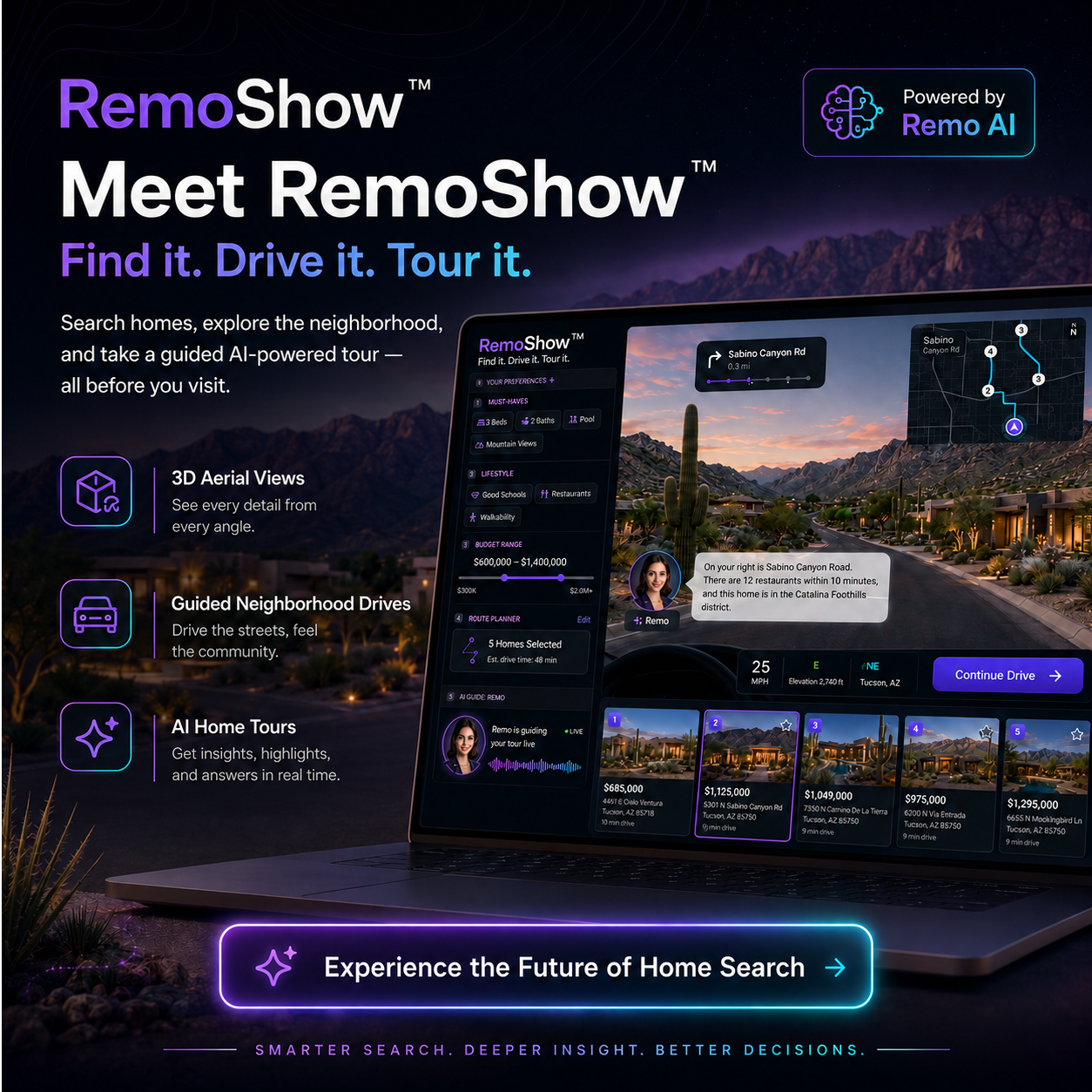
A home search should feel more like a showing—and less like scrolling through listings. RemoShow helps buyers find the right homes, build a personalized route, explore each neighborhood, and tour properties with Remo as their live AI guide.
AI-guided home discovery, neighborhood exploration, route planning, and property tours in one continuous experience.
Product preview · AI-guided home showing
Tell Remo what matters—from price, bedrooms, and location to restaurants, commute, parks, and lifestyle priorities.
Explore the streets, surroundings, and useful nearby places while Remo explains the area with objective, buyer-relevant context.
Choose the homes you want to see, organize the route, and continue through a guided showing experience without losing your place.
Ask questions, compare homes, revisit priorities, and make small talk with an AI guide that stays with you throughout the tour.
Capabilities
Capture the buyer’s must-haves, budget, preferred areas, and lifestyle priorities through voice or text.
Turn selected homes into an organized route with clear stop order and estimated drive time.
Move through street-level checkpoints while Remo narrates relevant property and area context.
Understand the home, lot, surrounding streets, and nearby context from above before entering the tour.
Use available 3D tours, virtual-tour media, or a narrated visual walkthrough to explore the property.
Ask about the current home, compare favorites, save properties, schedule a showing, or connect with an agent.
The experience
RemoShow connects the steps buyers already take across separate websites and tools into one guided experience.
Share the preferred area, budget, home features, and the places or conveniences that matter nearby.
Review matched listings, save favorites, and place the strongest options into a showing route.
Travel through neighborhood checkpoints, pause to look around, and ask Remo questions as the context changes.
Open an aerial view, enter the available home tour, compare the route stops, and decide what should happen next.
Guided neighborhood experience
RemoDrive turns a group of listings into a guided neighborhood journey. Buyers can follow the route, stop to look around, and hear useful context from Remo as they move toward each property.
Property context
Use aerial and 3D context to understand the property, lot, surrounding roads, and nearby environment before entering the home.
Guided home experience
RemoTour brings narration and conversation into the property experience. Buyers can explore an available 3D tour or follow a guided visual walkthrough while asking questions in real time.
Why it matters
Understand more about each home and its surroundings before spending time on an in-person visit.
Move from search to route to tour without rebuilding context across separate tools.
Get help when looking at the neighborhood, the property, or the differences between homes—not hours later.
Audience
RemoShow is designed for buyers who want to understand the home and the surrounding experience before deciding what deserves an in-person visit. Agents, teams, brokerages, lenders, and partners can use the experience to help buyers move from interest to a better-informed next step.
RemoShow provides property search assistance, route guidance, factual location context, and AI-generated tour narration. Property availability, listing details, commute estimates, school information, nearby-place data, and visual coverage may change or come from third-party sources. Buyers should independently verify material information and work with appropriately licensed professionals for representation, inspections, financing, legal advice, and transaction decisions.
RemoShow does not recommend neighborhoods based on protected characteristics or demographic composition. Area guidance is limited to buyer-selected criteria and objective, supportable information.
Frequently asked questions
No. RemoShow is an AI-guided property discovery and showing experience. It can help buyers search, explore, compare, and prepare for next steps, but it does not replace licensed representation or professional judgment.
Yes. The experience is designed to help buyers understand listings, routes, surrounding places, aerial context, and available home-tour media before deciding which homes to visit in person.
No. Tour availability depends on the listing and supported media. When a full 3D tour is unavailable, RemoShow may provide a narrated visual walkthrough using approved listing images and property information.
Yes. Buyers can select multiple homes, organize the route, and move through the showing journey one stop at a time. Route availability and optimization depend on supported mapping services.
Yes. Remo is designed to remain available across search, neighborhood exploration, arrival, aerial views, and home tours so buyers can ask questions in context.
Yes. RemoShow can provide clear next actions such as saving the home, requesting more information, scheduling a showing, or connecting with an available real estate professional.
A new way to experience home search
Bring search, neighborhood context, showing routes, and property tours together in one guided buyer experience.